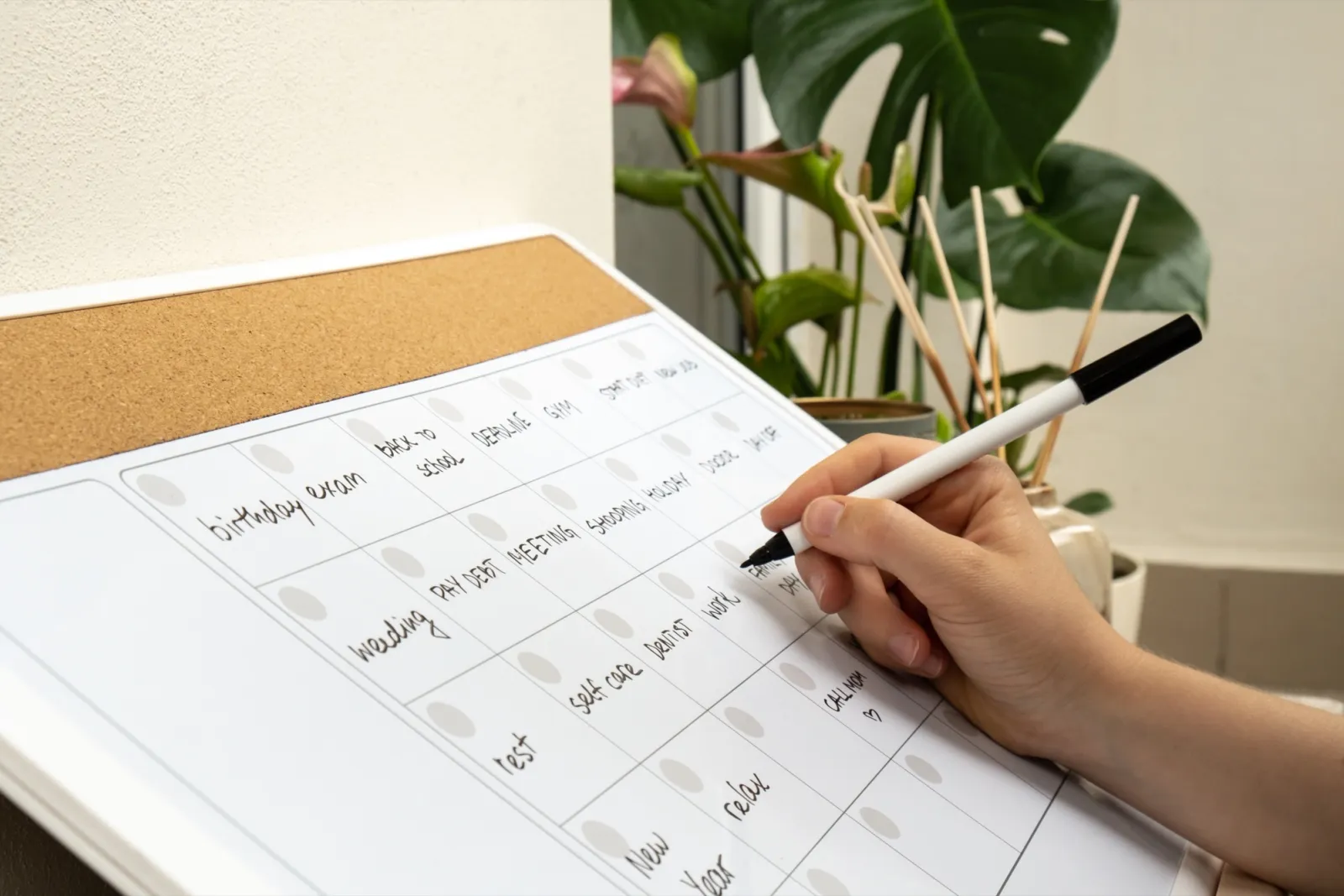
Most content calendars die in week three. Not because the owner got lazy, but because the calendar asked for more than the business had: too many posts, planned too far ahead, in a tool that made every update feel like admin. A content calendar somebody actually keeps is smaller, closer and simpler than the one you probably built.
We covered how often to post in a separate guide, and the answer feeds this one: the calendar holds the number your worst week can survive. This guide is about the calendar itself. What goes in it, where it lives, and the one hour a month that keeps it alive.
Why calendars get abandoned
Three habits kill them. The first is ambition: the calendar gets built during an enthusiastic week, at that week's capacity, and the first normal week breaks it. The second is distance: posts planned six weeks out describe a business that no longer exists by publish day, so the owner ignores the plan and the plan dies of being ignored.
The third is friction. A calendar that wants ten fields filled per post turns planning into data entry. Every abandoned calendar we see in audits has empty columns, and the empty columns arrived before the empty rows.
The fix for all three points the same way: fewer posts, a shorter horizon, fewer fields.
What a working calendar contains
Four fields per post. The date. The job the post does. The idea in one line. The status, which needs three values at most: idea, made, posted. Nothing else earns a column.
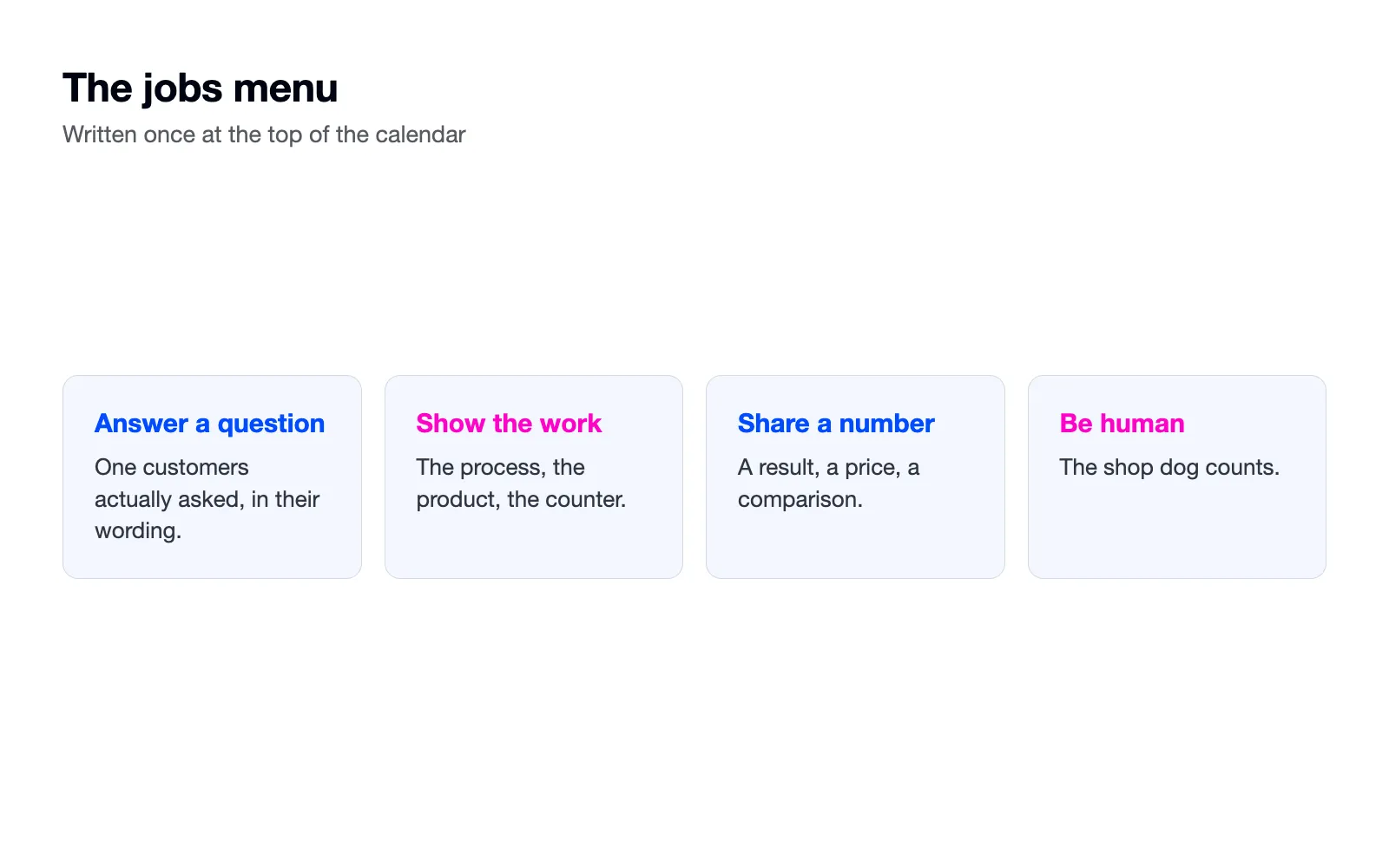
The job comes from a short menu you write once. Ours for most clients: answer a question customers actually ask, show the work, share a number or a result, be human. Jobs make the grid fill faster, because a blank slot labelled answer a question is a smaller question than a blank slot labelled anything.
What stays out: captions, which get written in a batch later. Hashtag lists. Approval columns for a two-person business. Colour coding systems. Any field you will not fill in week three should not exist in week one.
And leave gaps on purpose. One empty slot a week belongs to whatever happens: the delivery that goes wrong, the regular's good news, the thing that walks in the door. A completely full grid has no room for the month's actual life, and the month's actual life is your best material.
The template, in plain text
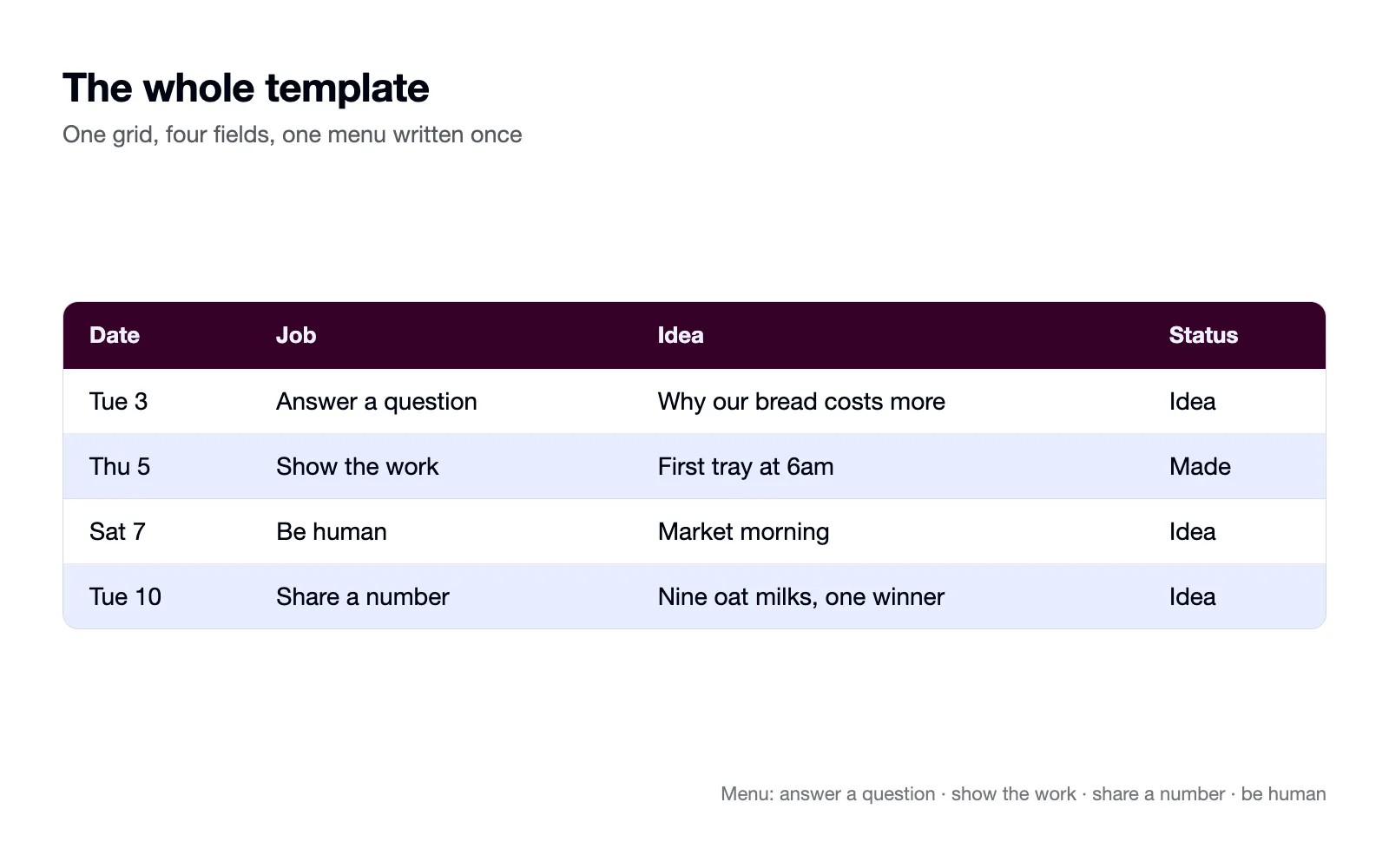
The template is one grid and one menu. The grid: a row per post, columns for date, job, idea and status. The menu, written once at the top: answer a question, show the work, share a number, be human. That is the entire template, and a spreadsheet or a notes page holds it.
A filled week looks like this. Tuesday, answer a question, why our bread costs more, idea. Thursday, show the work, first tray at 6am, made. Saturday, be human, market morning, idea. Reading the week takes five seconds, which is the point: the calendar is a glance, not a document.
Status earns its column by ending arguments. Idea means it needs work, made means it sits in the scheduler, posted means done. When a week goes sideways, the column shows exactly where things stopped, and the recovery starts there instead of from memory.
Where it should live
The tool matters less than one test: the calendar opens in under ten seconds on the device you actually plan with. A spreadsheet passes. A notes app passes. A paper planner behind the counter passes. A project management tool you open twice a month fails, whatever its features.
The platform's own scheduler is not the calendar. Schedulers hold finished posts, and they are good at that, so use one for the made pile. But the calendar is where ideas live before they are made, and it has to show you the shape of a month at a glance, which a queue of scheduled posts never does.
The monthly planning hour
One hour, once a month, with an agenda. Ten minutes reading last month's numbers, just the top five and bottom five posts. Fifteen minutes collecting ideas: questions from DMs and comments, what is happening in the business next month, dates that matter locally. Twenty-five minutes filling the grid, jobs first, then ideas into slots. Ten minutes listing what needs filming and booking one filming block in the diary.
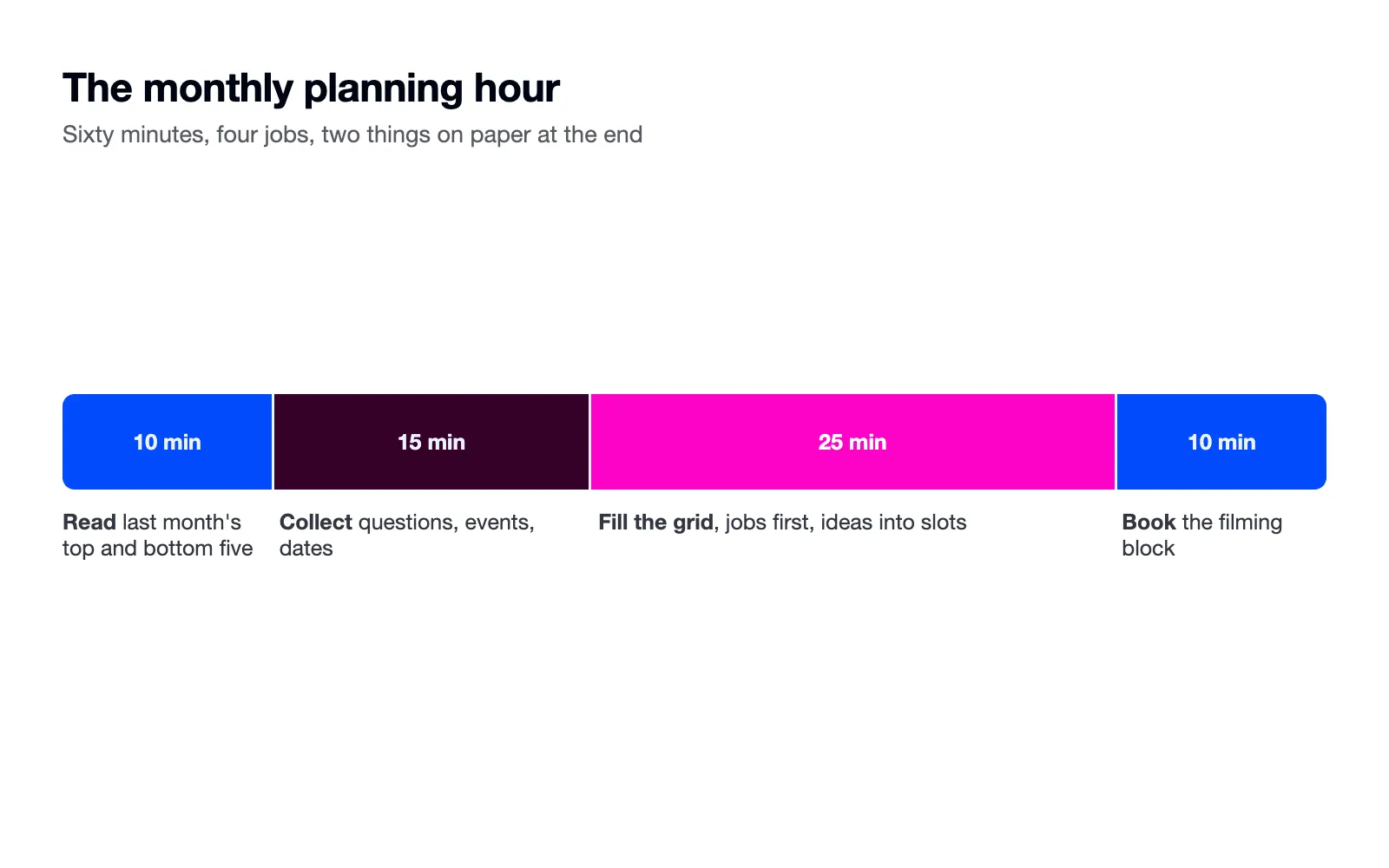
The hour produces two things on paper: next month's grid, and a shot list for the filming afternoon. If the hour produces anything else, the calendar has too many fields. Pin both where the planning happens, because a grid nobody sees between planning hours is a grid nobody follows.
Filling slots when ideas run dry
The grid fills from what customers already say. Search your DMs and comments for question marks and write down every question in the customer's own wording. Keep a running note behind the counter for what people ask in person. Ten questions become ten answer posts, and questions arrive on their own.
When the well is genuinely dry, the search bars refill it: type your trade into TikTok or Instagram search and note what autocomplete suggests, the way our search guides describe. Autocomplete is other people's questions, ranked.
A month at three posts a week
Twelve slots. Four answer posts, pulled from real questions people asked you. Four show-the-work posts. Two number posts, a result or a price or a comparison. Two human posts. The filming block covers the show-the-work and human posts in one afternoon, and half the answer posts can be carousels or text that need no filming at all.
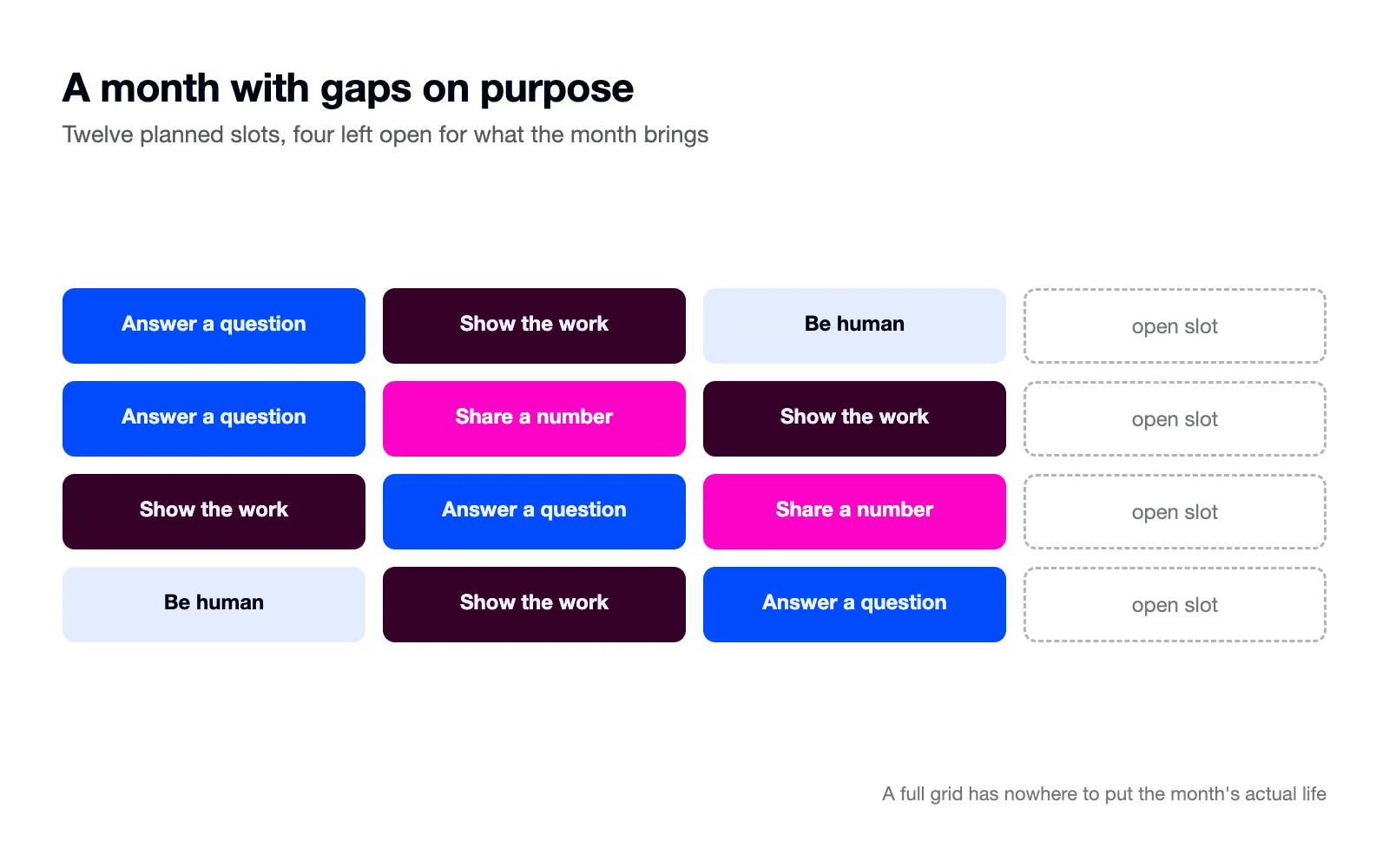
Seasonal months follow the rule from our posting guide: start the calendar work three months out. The December grid gets drafted in September, because in November you will be busy selling and the calendar will be the thing that saves you, not the thing you are building.
Two people, one calendar
If two of you share the account, the calendar needs one owner. The owner runs the planning hour and holds the grid. The other person feeds it questions and films what they are asked to film. Split ownership is the fourth quiet killer, because a calendar everyone edits becomes a calendar nobody trusts.
Add a five-minute weekly glance beside the monthly hour: is this week's row still true, and is next week's filmable? Five minutes on Monday saves the Thursday scramble.
When the calendar breaks
A missed week gets the same treatment we gave it in the cadence guide: go back to the schedule and skip the catch-up burst. The gap stops mattering after a few steady weeks.
A calendar that keeps breaking in the same place is telling you something. If the Friday slot dies every week, Fridays are wrong for your week, so move the slot or drop it. The calendar records what your business can do. When the record and the plan disagree, the plan is the one that changes.
And if every version of the calendar keeps dying whatever you try, the problem usually sits above it, in a cadence set past your real capacity. That is one of the first things our audit checks, and it is a cheaper fix than another new planner.

Georgia May
CEO & Founder of Tea & Toast